OK Win login takes a few seconds once you have an account, and creating one takes about a minute. Use the buttons below to sign in or register, and read on for the steps and quick fixes.
Play for fun · Take breaks
| OK Win quick info | |
|---|---|
| Platform | Online app platform |
| Login with | Phone number or email |
| Registration | About 1 minute |
| Works on | Mobile browser, app and desktop |
| Help | Customer service on the platform |
| Last updated | 7 November 2026 |
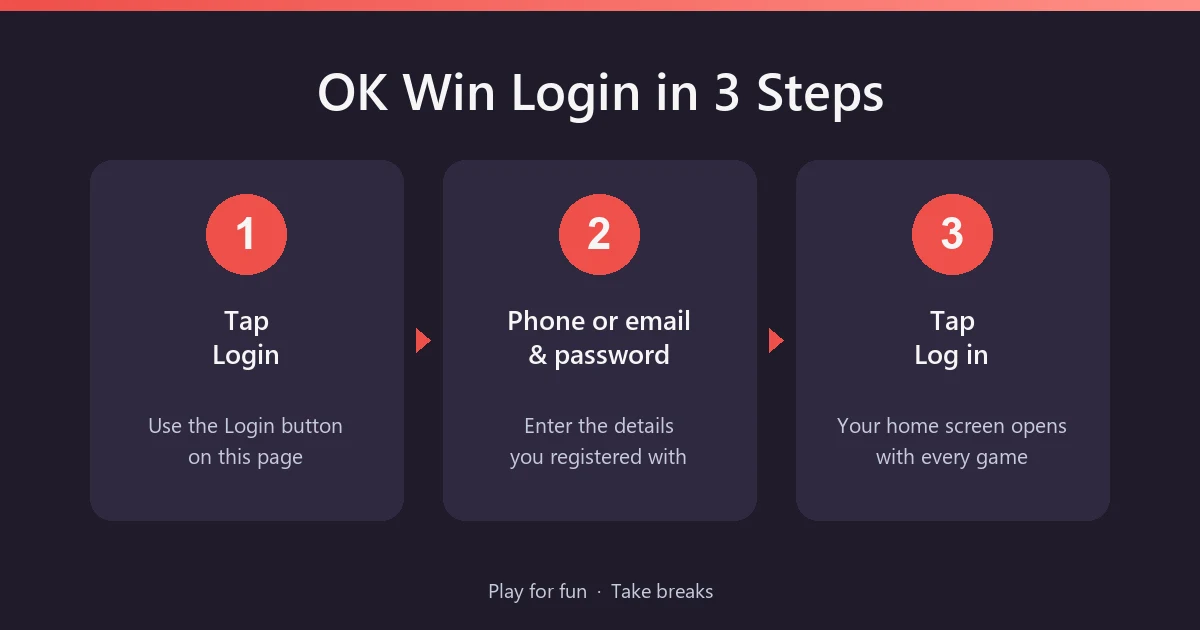
OK Win Login in 3 Steps
If you already have an account, this is all it takes:
- Tap Login. Use the Login button on this page.
- Enter your details. Choose Phone Number or Email, then type the details you registered with and your password.
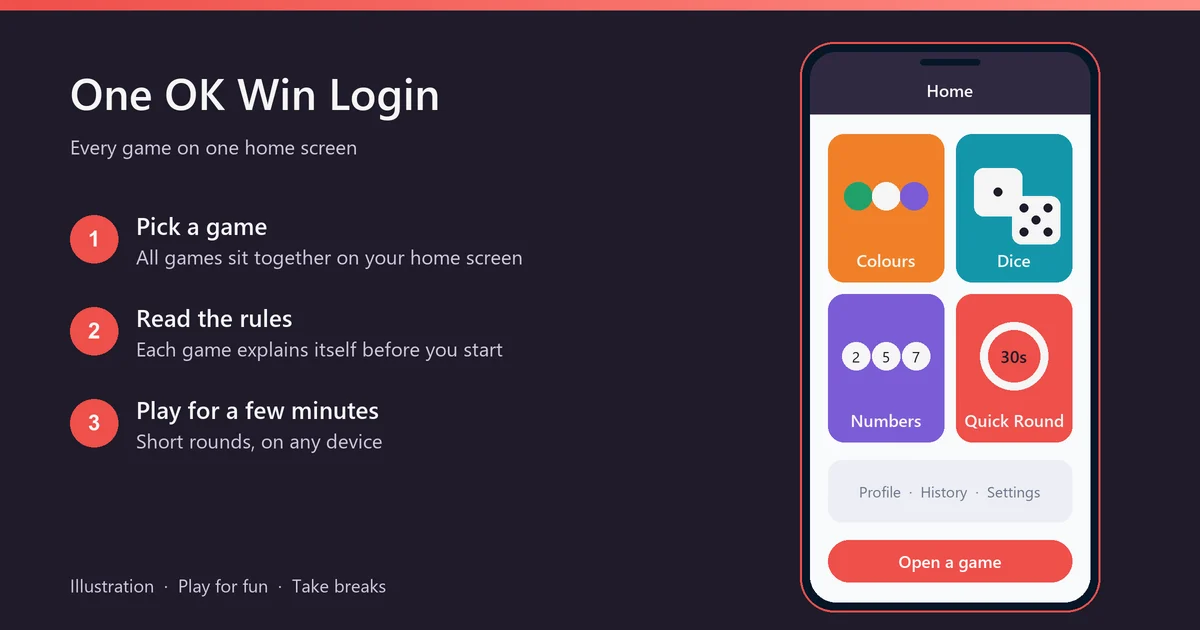
- Tap Log in. Your home screen opens with every game in one place.
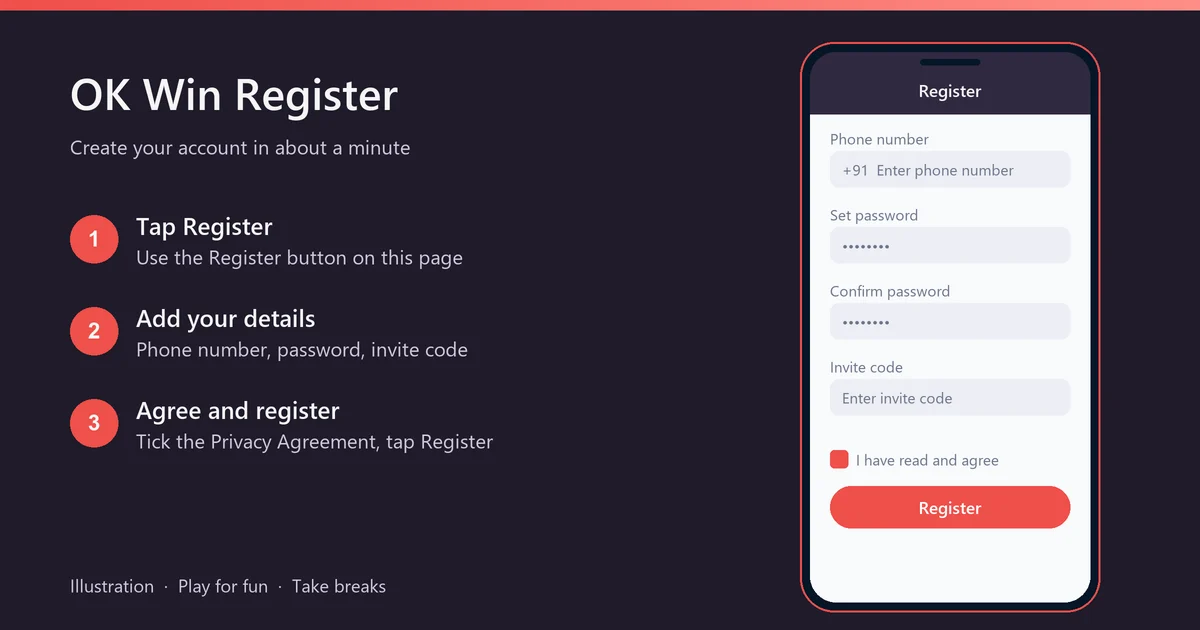
OK Win Register in 3 Steps
New here? Setting up an account is just as straightforward:
- Tap Register. Use the Register button on this page.
- Add your details. Enter your phone number (+91 is usually selected already), set a password and type it again to confirm. If you have an invite code, add it here.
- Agree and register. Tick the box to accept the Privacy Agreement and tap Register. For adult players only.
What Is OK Win?
OK Win is an online app platform with short, casual and prediction-style games. One OK Win login gives you access to every game, your profile and your round history, on your phone or a computer.
The layout is simple on purpose. Menus are clear, rounds are quick, and each game explains its rules before you begin, so you always know what you are choosing.
How the OK Win Game Works
- One account. Register once with a phone number or email and a password.
- One login everywhere. The same details work in your browser, in the app and on a desktop.
- Rules first. Every game shows how it works before a round starts.
There is no long setup. You sign in, pick a game and decide how long you want to play.
OK Win Game Login on Mobile, App and Desktop
Mobile browser
Open this page in Chrome or another up-to-date browser and tap Login. This is the quickest OK Win game login because there is nothing to install. You can save the OK Win login page to your home screen for next time.
OK Win app login
In the app, tap Log in and use the same phone number or email and password as on the website. If you searched for the OK Win APK login, the steps are the same: the app uses your existing account. If the app asks for an update, install it first, because older versions can stop signing in.
Desktop and laptop
Any modern browser works. A larger screen makes it easier to move between games, your profile and your history.
OK Win Login Problems and Quick Fixes
Most sign-in problems have a simple cause. Start with the one that matches yours.
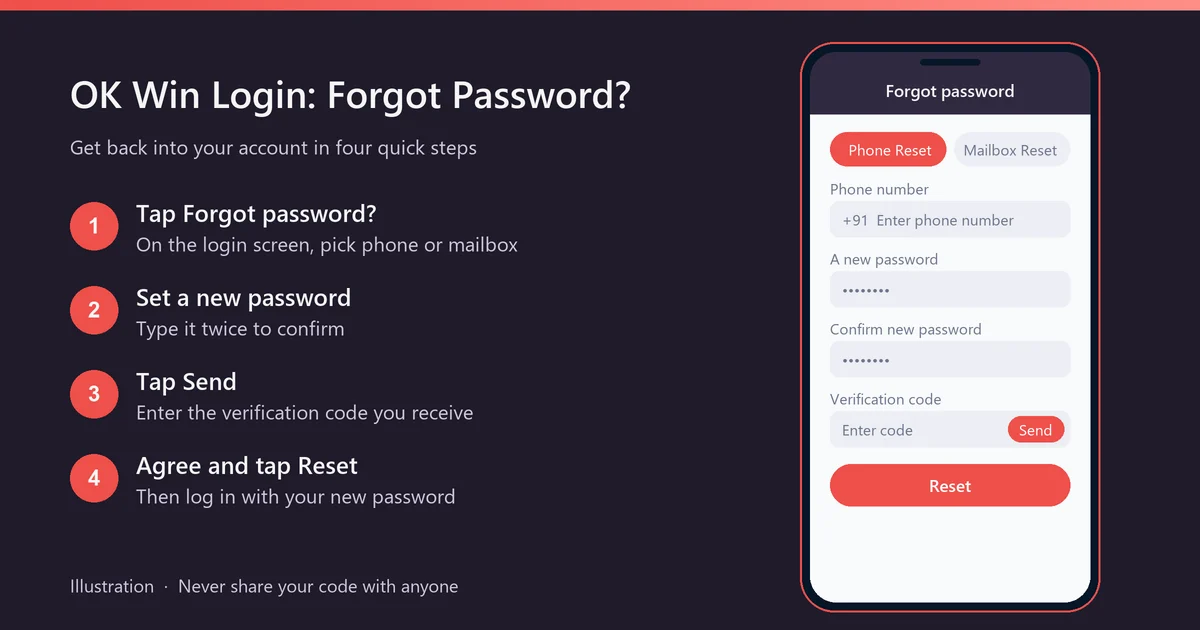
Forgot your password
Tap Forgot password? on the login screen. Choose to reset by phone or email, enter your details, type a new password twice, tap Send to receive a verification code, enter the code and confirm. Then sign in with the new password.
Verification code not arriving
Wait about a minute before requesting another code. Check that the right SIM has signal and look in your SMS spam folder.
Wrong password or account not found
Make sure you are using the number you registered with, not a second SIM. Check that Caps Lock and auto-correct are not changing your password. If you signed up with email, switch to the Email tab.
Changed your phone number
Try the old number first. If you no longer have it, contact customer service on the platform to update your account.
Account locked
Several wrong passwords in a row can lock an account. Reset your password instead of trying again.
Page not loading
Clear your browser cache, switch between Wi-Fi and mobile data, or try another browser.
Staying Safe with Your OK Win Login
Many sites copy this name, so a little care goes a long way:
- Check the address before you type your details, and use the buttons on this page.
- Keep your password and verification codes private. Customer service will never ask for them.
- Use a unique password and tick Remember password only on your own phone.
- Ignore “hack”, “prediction” or “mod” offers. No tool can predict a game, and these offers are made to take over accounts.
- Know your limits. Prediction-style games are for entertainment. Decide how long you will play before you start, and stop if it stops being fun.
OK Win Login vs Registration
| What it is for | |
|---|---|
| Registration | For new players. Creates your account with a phone number or email and a password. You do it once. |
| Login | For existing players. Opens your account with your registered details and password. |
| Home screen | What you see after signing in: games, profile, history and settings. |
OK Win लॉगिन कैसे करें
OK Win लॉगिन कुछ ही सेकंड में हो जाता है:
- इस पेज पर Login बटन दबाएँ।
- Phone Number या Email चुनें, फिर अपना रजिस्टर किया हुआ नंबर या ईमेल और पासवर्ड डालें।
- Log in दबाएँ। आपकी होम स्क्रीन खुल जाएगी।
नया अकाउंट बनाने के लिए Register दबाएँ, फ़ोन नंबर डालें, पासवर्ड सेट करके दोबारा लिखें, इनवाइट कोड हो तो जोड़ें, Privacy Agreement स्वीकार करें और Register दबाएँ। पासवर्ड भूल गए हों तो लॉगिन स्क्रीन पर Forgot password? दबाएँ और वेरिफिकेशन कोड से नया पासवर्ड सेट करें।
अपना पासवर्ड और कोड किसी के साथ साझा न करें, और मज़े के लिए ही खेलें।
Play Responsibly
The platform is made for entertainment and is for adult players only. Keep sessions short, take regular breaks, and step away whenever a game stops being enjoyable.
Need Help?
Customer service on the platform can help with sign-in, registration and account questions. Describe what happened and include a screenshot if you can. That usually gets the quickest answer.
OK Win Login FAQ
How do I do the OK Win login?
Tap Login, choose Phone Number or Email, enter your details and password, and tap Log in.
How do I register?
Tap Register, enter your phone number, set and confirm a password, add an invite code if you have one, accept the Privacy Agreement and tap Register.
I forgot my OK Win login password. What should I do?
Tap Forgot password?, reset by phone or email, set a new password, enter the verification code and confirm.
Is the OK Win app login the same as the website?
Yes. The same phone number or email and password work on the website, in the app and on a desktop browser.
Is the OK Win game login separate from my account?
No. One OK Win login opens every game on the platform.
Can I register with email instead of a phone number?
Yes. You can sign up with a phone number or an email address. Use the same one each time you log in.
Are hack or prediction apps real?
No. Game results cannot be predicted, and these apps are a common way to steal accounts. Avoid them.
Who can play?
The platform is for adult players only. It is made for entertainment, so play in short sessions and take breaks.
Ready to Sign In?
Use the buttons below to sign in, or register in about a minute. Play for fun and take breaks.