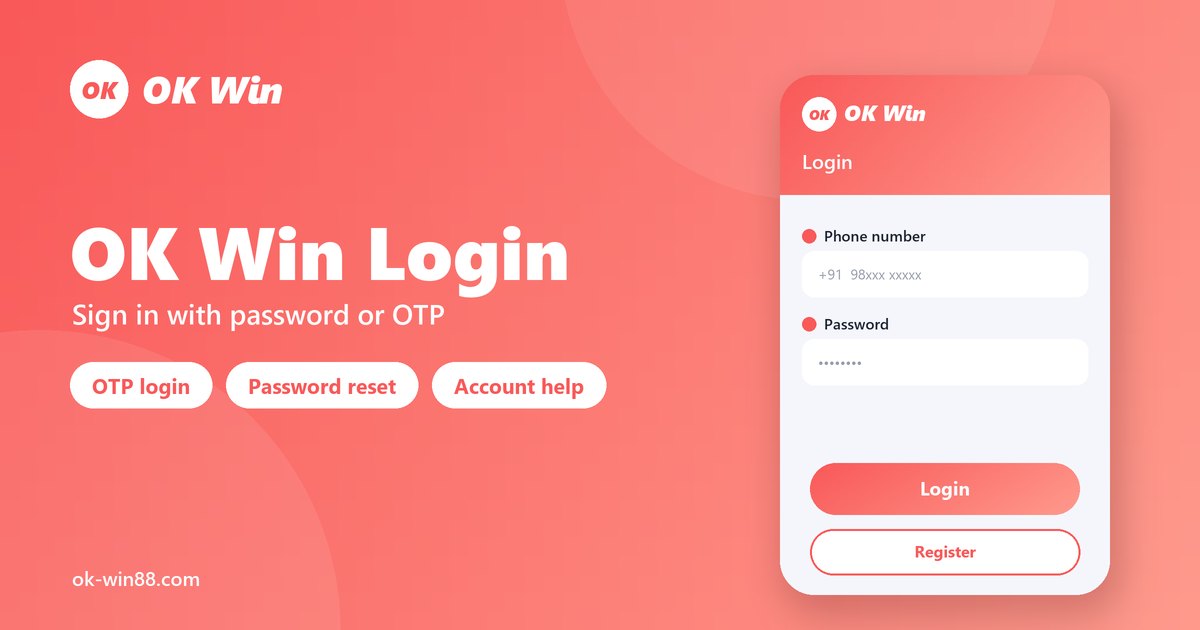
OK Win login should take under 30 seconds — but when something goes wrong, it can feel like hitting a wall. Wrong password error, OTP that never arrives, an account that suddenly says locked — these are the three most common reasons players land on this page.
This guide covers the full login process step by step, then gives you specific fixes for every common problem. No vague advice like “contact support” as a first response — you’ll get the actual fix first, and know exactly when support is genuinely needed.
How to Login — Step by Step
Whether you’re using the Android APK or the mobile browser version, the login process is identical. There is no separate desktop OK Win Login is a mobile-first platform.
Quick Login Steps
- Open app — launch the downloaded APK or open the official OK Win website in your mobile browser
- Tap Login — the button appears at the top right of the screen. Do not tap Register unless you need a new account
- Enter your registered mobile number — the 10-digit number you used when you created your account. No country code needed for Indian numbers
- Enter your password — passwords are case-sensitive. If you copy-paste from a saved note, check there is no trailing space at the end
- Tap Login Now — the system validates your credentials instantly
- Complete OTP if prompted — if you’re logging in from a new device or after clearing app data, a 6-digit OTP will be sent to your registered number. Enter it within 60 seconds
- Your dashboard loads — wallet balance, games lobby, promotions, and referral section are all visible immediately
That is the standard login flow. Most users who haven’t changed devices complete steps 1–5 without any OTP prompt at all.
OK Win Login Problems — 5 Fixes That Actually Work
The issues below account for the vast majority of failed OK Win logins. Work through them in order — the most common cause is listed first.
Problem 1 — Wrong Password or “Incorrect Credentials” Error
This is the most frequent login issue by a large margin. Game passwords are case-sensitive, which means Okwin123 and okwin123 are treated as two completely different passwords.
What causes it:
- Caps Lock is on without you noticing
- You typed the password instead of pasting, and got a letter wrong
- You copy-pasted from a saved note and it included a trailing space before or after the characters
- You recently changed your password and are using the old one from memory
How to fix it:
- Tap the eye icon inside the password field to make the password visible — this lets you see exactly what you’re typing
- If you saved your password in Google or a notes app, copy-paste carefully and verify no extra spaces are included
- Try typing the password manually rather than pasting
- If none of this works, move to password recovery — see Problem 3 below
Problem 2 — OTP Not Received
You entered your mobile number, tapped Login, and the OTP simply hasn’t arrived after 2–3 minutes. This has a clear set of causes and equally clear fixes.
What causes it:
- Weak mobile signal in your current location — SMS OTPs need a basic signal level to deliver
- Your phone’s DND (Do Not Disturb) is active and blocking promotional SMS
- You triggered too many OTP requests in a short span, causing a temporary block on new OTPs
- The OTP was delivered but landed in the spam or promotional SMS folder on some Android handsets
How to fix it:
- Move to an area with better signal, or switch between mobile data and Wi-Fi to reset your network connection
- Check your full SMS inbox — including spam, blocked, or promotional folders
- Turn off DND mode temporarily — Settings → Sounds → Do Not Disturb → Off
- Wait the full 60 seconds before tapping Resend OTP — tapping it too early queues multiple requests and can create a temporary delivery block
- If three resend attempts fail, close the app completely, wait 5 minutes, and start the login flow fresh
Important: Do not request more than three OTPs in quick succession. Some carriers treat rapid OTP requests as spam and temporarily block that number from receiving SMS verification codes.
Problem 3 — Forgot Password / Can’t Remember Password
OK Win login does not allow without a password if you don’t have the reset option ready. The reset process is straightforward.
Before login — password reset steps:
- Go to the OK Win login page
- Tap Forgot Password
- Enter your registered mobile number
- Tap Send — a verification OTP is sent to your number
- Enter the OTP
- Create a new password — use 8+ characters with a mix of uppercase, lowercase, and numbers
- Tap Reset
- Login with your new password
After login — changing your password:
If you’re already logged in but want to change your password (recommended if you think your account was accessed by someone else):
- Go to your Profile
- Tap Account Settings
- Find Change Password
- Verify via OTP sent to your registered number
- Set your new password and confirm
If OTP won’t arrive during the password reset process, apply the same fixes listed under Problem 2 above. If that still doesn’t work after exhausting all options, contact support directly — provide your registered mobile number and they can verify your identity manually.
Problem 4 — Account Temporarily Locked
Game locks accounts after a defined number of consecutive failed login attempts. This is a standard security measure — it protects your account from brute-force access attempts.
What causes it:
- Multiple wrong password entries in a short time span
- Someone else attempting to access your account
How to fix it:
- Wait 10–15 minutes and try again — most temporary locks lift automatically after this window
- Do not keep attempting to login while locked — each failed attempt may extend the lockout period
- If the lock does not lift after 30 minutes, contact customer support with your registered mobile number. Provide the number you used to register, not an alternative number
Security note: If your account was locked and you did not trigger it yourself, change your password immediately once access is restored. This indicates someone may have had your number and was attempting entry.
Problem 5 — Login Page Not Loading or App Crashing on Launch
A less common but frustrating issue where the app opens and freezes, or the browser login page simply will not load.
What causes it:
- Corrupted app cache from an older APK version
- Your current APK is outdated — OK Win releases updates that replace old APK versions
How to fix it:
- Clear app cache — Android Settings → Apps → OK Win → Storage → Clear Cache. This does not delete your account data
- Try mobile browser instead of the app — if the APK isn’t loading, open the official OK Win URL directly in Chrome or Firefox
- Try a different network — switch from mobile data to Wi-Fi or vice versa. In some cases, a specific network’s DNS settings block the domain
- Update the APK — if you installed OK Win more than 3–4 months ago, download the latest APK from the official provider website. Old APK versions sometimes stop functioning when the platform updates its backend
- Use a VPN temporarily — if OK Win is restricted in your area, a VPN to a different Indian city can restore access. This is not a permanent fix but works in a pinch
OK Win Login via Browser vs App — Which Is Better?
Both methods access the same account and have identical features. The choice comes down to your preference and device.
| Android APK | Mobile Browser | |
| Speed | Slightly faster after first load | Loads fresh each visit |
| Notifications | Supported on some APK versions | Not supported |
| iOS support | No | Yes (Safari) |
| Update needed | Every few months | Always current |
| Storage used | ~30–50 MB | None |
For iOS users, there is no APK option. Open the official OK Win login URL in Safari, tap the share icon, and select Add to Home Screen — this creates a home screen shortcut that works like an app but runs through the browser.
OK Win Two-Device Login — Can You Login on Multiple Devices?
Yes — you can be logged into OK Win on more than one device using the same account. Each new device login triggers an OTP verification to confirm it’s you. There is no hard limit on devices, but active sessions on multiple devices simultaneously can occasionally trigger security prompts.
If you get an unexpected OTP on your phone that you didn’t request, this could indicate someone is trying to access your account from a different device — change your password immediately.
How to Stay Logged In
OK Win sessions do not expire immediately, but the app will log you out if:
- You clear the app’s cache or data
- You uninstall and reinstall the APK
- The OK Win Game server performs a security refresh
- You’ve been inactive for an extended period
After Login — What to Do First
Once you’re successfully in, your dashboard shows:
- Wallet balance — top of screen, wins and bonus credit separately
- Games lobby — Win Go, Aviator, K3, 5D, TRX Hash, Rummy, Slots
- Promotions — where gift codes are entered and daily bonuses are claimed
- Profile — invite code, referral network, KYC settings, withdrawal details
If you’re logging in for the first time after registering, your next step is making a deposit (minimum ₹100) to unlock wins play. If you applied a gift code during registration, check your Promotions wallet — the bonus should already be there, along with the wagering requirements you need to meet before withdrawing it.
Responsible Gaming Reminder
Every session starts with a login — and that’s a good moment to set a limit. Before you tap into the games lobby, decide the maximum amount you’re comfortable losing today. Stick to that number regardless of whether you’re ahead or behind.
OK Win is entertainment. The platform carries a mathematical house edge on all prediction games — meaning over many rounds, the platform is statistically favoured. No login trick or session timing changes that. Play for the experience, not as an income strategy.
Related Pages
- Register — Create Your Account in 2 Minutes
- Gift Code — Today’s Active Codes
- App Download — Safe APK Guide
Frequently Asked Questions
Why is my ok win login not working?
The most common cause is a wrong password — passwords are case-sensitive, and copy-pasted passwords often include a trailing space. Try typing it manually with the password field visible. If the password is correct, check whether your account is temporarily locked from multiple failed attempts. Wait 10–15 minutes and try again.
How do I recover my login password?
Go to the OK Win login page, tap Forgot Password, enter your registered mobile number, and follow the OTP-based reset flow. You’ll set a new password in under 2 minutes. If OTP doesn’t arrive, check your SMS spam folder and ensure Do Not Disturb is off.
What do I do if I’m not receiving OTP?
Wait the full 60 seconds before requesting a resend. Check signal strength, turn off DND mode, and look in your SMS spam folder. If the OTP still doesn’t arrive after three attempts, close the app, wait 5 minutes, and restart the process. Avoid rapid repeated OTP requests — this can trigger a temporary delivery block from your carrier.
Why is my Game account locked?
Account locking happens automatically after multiple consecutive failed login attempts. Wait 10–15 minutes and try again with the correct password. If the lock persists beyond 30 minutes, contact support with your registered mobile number.
Can I login to Game app on iPhone?
Yes. Open the official URL in Safari on your iPhone and log in normally. You can also tap the share icon and select Add to Home Screen to create a shortcut that behaves like an app. There is no iOS APK — the browser version is the only method for iPhone users.
Can I use game app on two phones at once?
Yes, the same account can be logged in on multiple devices. Each new device triggers an OTP verification. If you receive an unexpected OTP you didn’t request, someone else may be attempting access — change your password immediately.
Is OK Win login safe on public Wi-Fi?
Using any wins platform on public or shared Wi-Fi carries risk — unsecured networks can expose your session data. Use mobile data when logging in, especially when depositing or withdrawing funds.
Last updated: OCT 2026. For informational purposes only. OK Win game is an entertainment platform. Play responsibly.
Related Guides
- OK Win Game – full login, register & gift code guide
- How to register on OK Win in 2 minutes
- OK Win app download (APK) guide
- OK Win gift codes and bonus terms